
Second Installation: Cook-Wissahickon Elementary

Root Kit #2 is in the ground at Cook-Wissahickon Elementary School. This version is a futuristic, light-up LED dome. Admittedly, it’s not that impressive in daylight, but should be an interesting sight as some fiberoptic lights illuminate whenever the sensors take readings (approximately every 10 minutes). It’s situated in a planter bed and sends data to a receiving unit in Mr. Ramos’ second-floor classroom.
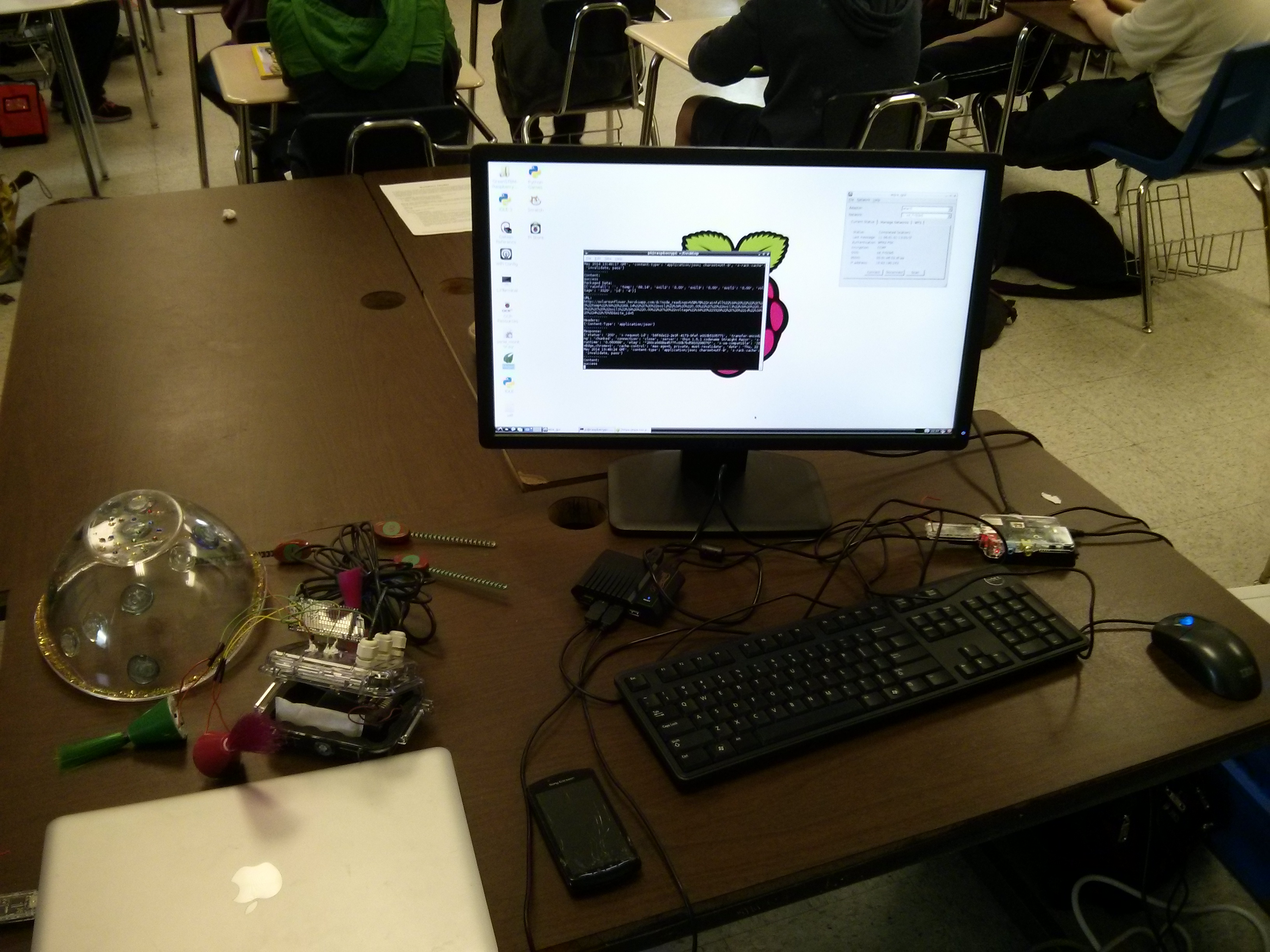
Above, the initial setup of the receiving unit (a Raspberry Pi with a JeeLink). It does take some patience and testing to ensure connectivity with the school’s wifi network and determine the best placement for the Raspberry Pi and JeeLink to capture the incoming radio signal from the sensors outside. In these early days of installing greenSTEM sensors at schools, we are lugging around our own monitor, keyboard and mouse to perform the setup procedure; this is something that needs improvement. We’ve attempted many solutions (from hacking an old Motorola lapdock to mirroring the Raspberry Pi on a laptop), but they often result in a system freeze or don’t allow the Pi to make the new wifi connection. Furthermore, the wifi dongle needs to be on a separate, powered USB hub—in short, the Raspberry Pi’s USB ports don’t like too much plugging/unplugging of components and will cause the unit to reboot. A streamlined setup tutorial is on the horizon, most likely this summer. But for now it’s spring—check out how the sensors are responding to rain at Nebinger and Cook-Wissahickon here.
Hi Matthew,
Congratulations on the work you are doing in Philly schools. I’m an ESOL teacher at Lowell. I am strongly considering getting a Raspberry Pi and using it to support teaching writing, or reading, for that matter. You’ve been able to get it running on the SDP wireless. How hard was that? George Li is familiar with these issues I take it. One last open ended question: Is there anything special you’d do to use this in the SDP? Thanks. JS